Skip to content

PremierProCloud

  • Facebook
  • Instagram
  • Tumblr
    • Contact
    • Cookie Policy
    • Disclaimer
    • Privacy Policy
    • Start Here
    • Terms & Conditions

Ben Kemp

  • How to Blur a Face in Adobe Premiere Pro Using AI Object Masking and Tracking
    August 11, 2026

    How to Blur a Face in Adobe Premiere Pro Using AI Object Masking and Tracking

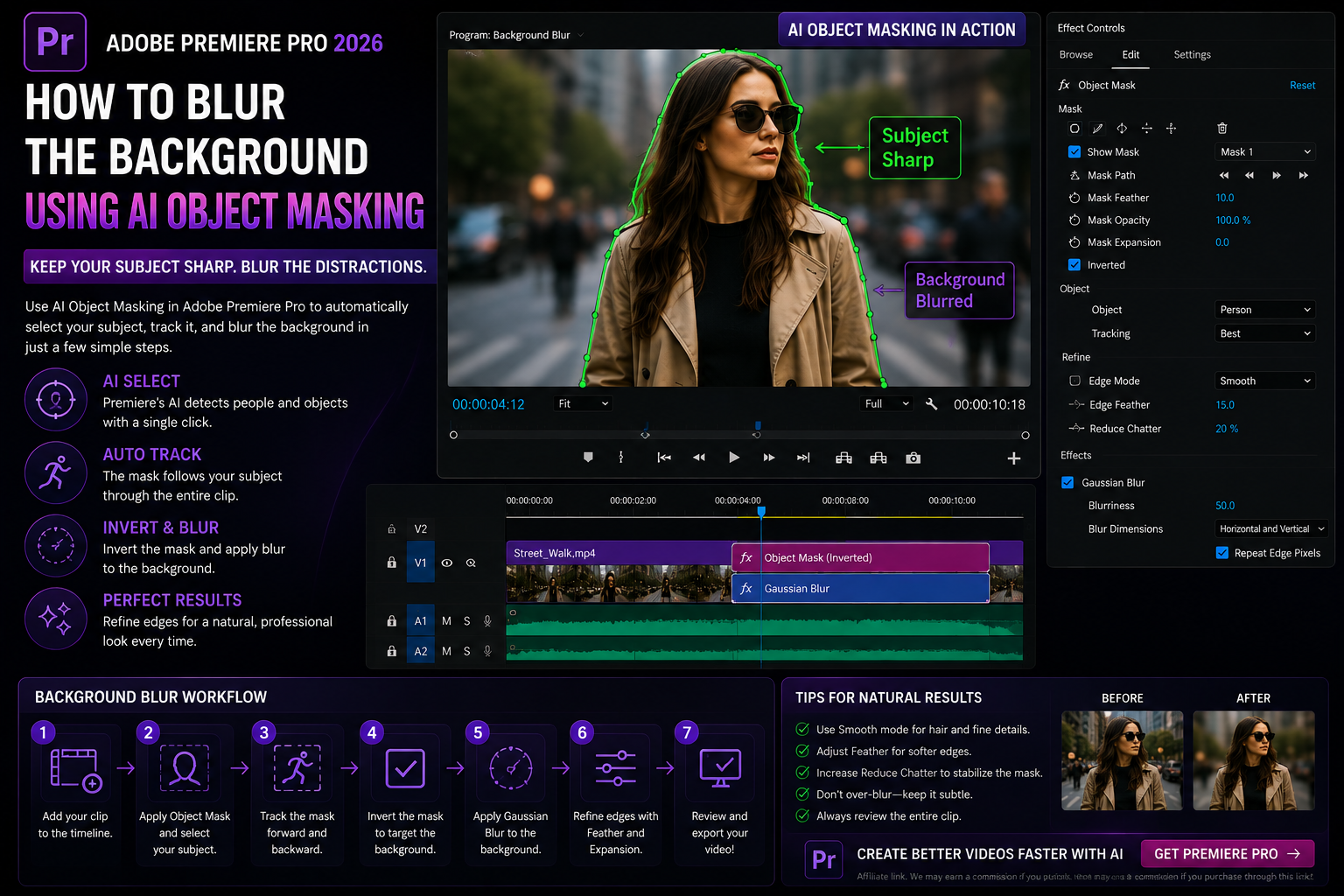
  • How to Blur the Background in Adobe Premiere Pro Using AI Object Masking
    August 11, 2026

    How to Blur the Background in Adobe Premiere Pro Using AI Object Masking

  • Sharp vs Smooth Object Masking in Adobe Premiere Pro: Which Mode Should You Use?
    August 11, 2026

    Sharp vs Smooth Object Masking in Adobe Premiere Pro: Which Mode Should You Use?

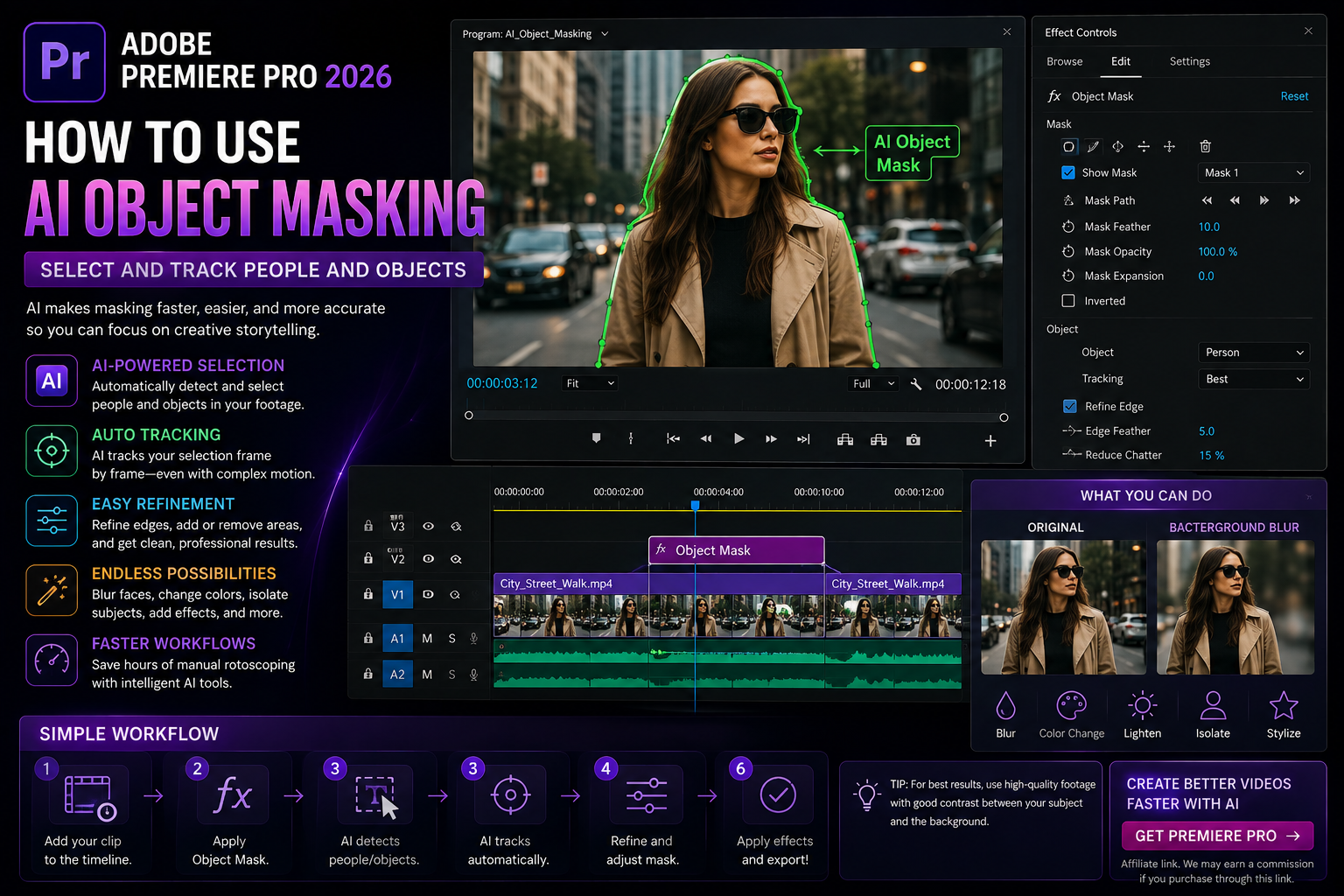
  • How to Use AI Object Masking in Adobe Premiere Pro: Select and Track People and Objects
    August 11, 2026

    How to Use AI Object Masking in Adobe Premiere Pro: Select and Track People and Objects

  • How to Use the Magnify Effect in Adobe Premiere Pro: Highlight Details, Interfaces, and Products
    August 11, 2026

    How to Use the Magnify Effect in Adobe Premiere Pro: Highlight Details, Interfaces, and Products

  • How to Use Shape Dissolve in Adobe Premiere Pro: Create Custom Animated Transitions
    August 11, 2026

    How to Use Shape Dissolve in Adobe Premiere Pro: Create Custom Animated Transitions

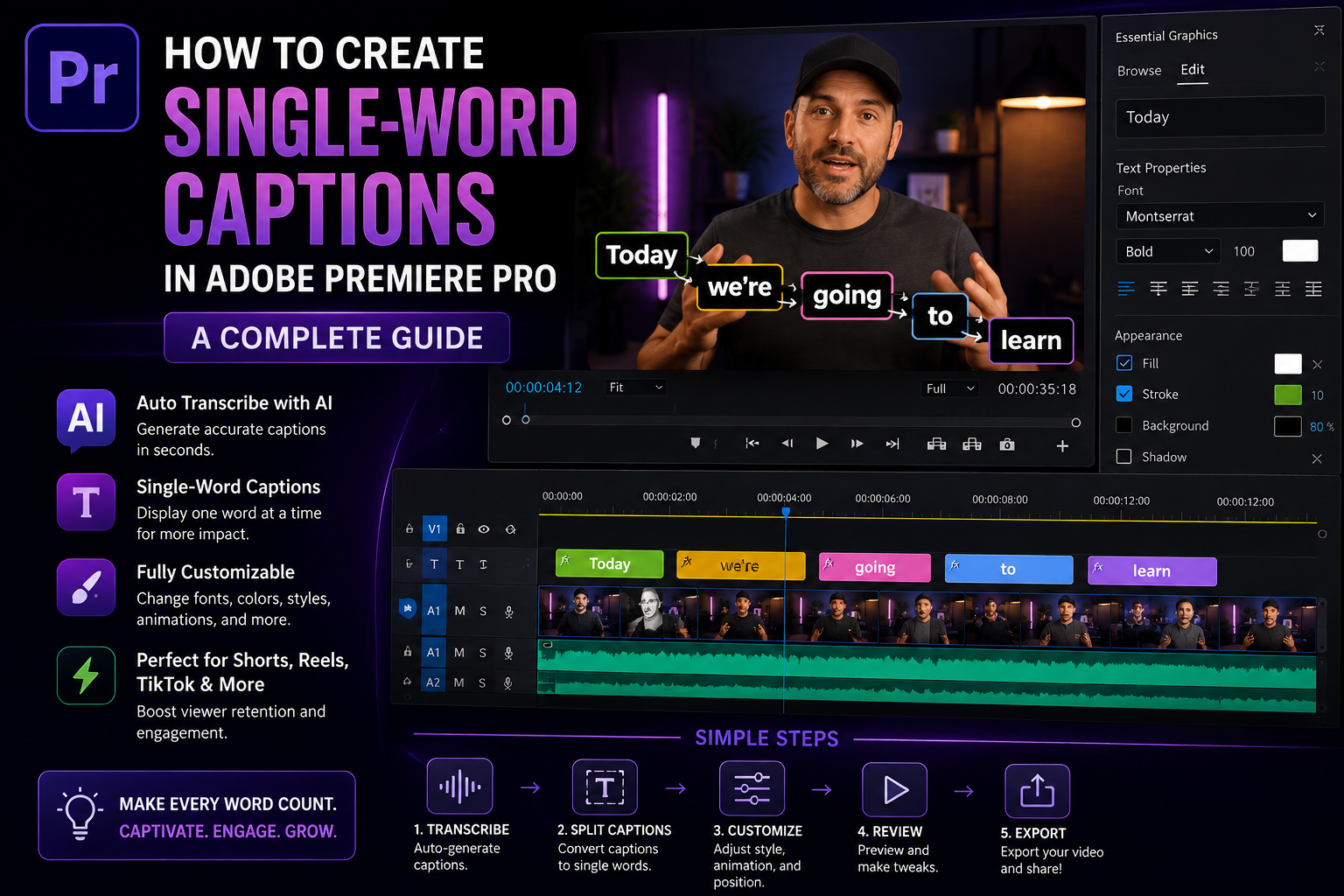
  • How to Create Single-Word Captions in Adobe Premiere Pro: A Complete Guide
    August 11, 2026

    How to Create Single-Word Captions in Adobe Premiere Pro: A Complete Guide

  • Adobe Premiere Pro 2026: Complete Guide to Features, AI Tools, Editing, and What’s New
    August 11, 2026

    Adobe Premiere Pro 2026: Complete Guide to Features, AI Tools, Editing, and What’s New

  • What’s New in Adobe Premiere Pro 2026? New Features, AI Tools, and Updates Explained
    August 11, 2026

    What’s New in Adobe Premiere Pro 2026? New Features, AI Tools, and Updates Explained

←Previous Page

About solvewithpowerbi

SolveWithPowerBI is a practical learning platform focused on building real-world Power BI skills through hands-on challenges. Each challenge mirrors common business scenarios—from cleaning messy data to creating clear, decision-ready reports. Instead of long tutorials, SolveWithPowerBI helps you learn by solving focused problems step by step. Build confidence, sharpen your skills, and learn Power BI the way it’s actually used.

  • Facebook
  • Instagram
  • Tumblr

Designed with WordPress

Power Newsletter

Get practical Power BI skills delivered straight to your inbox. Each edition shares a new hands-on challenge, real-world tips, and small insights you can apply immediately. No spam—just focused Power BI learning, one problem at a time.

Loading Comments...